
TKASH Helps Members Withdraw Funds Through Secure Banking Channels
Table Of Content
- Overview of Withdrawal Services
- Withdrawal Channel Management
- Supported Banking Options
- How to Add a Withdrawal Channel
- How to Submit a Withdrawal Request
- Withdrawal Processing Information
- Helpful Resources
- Frequently Asked Questions
Overview of Withdrawal Services
Withdraw Funds with Confidence
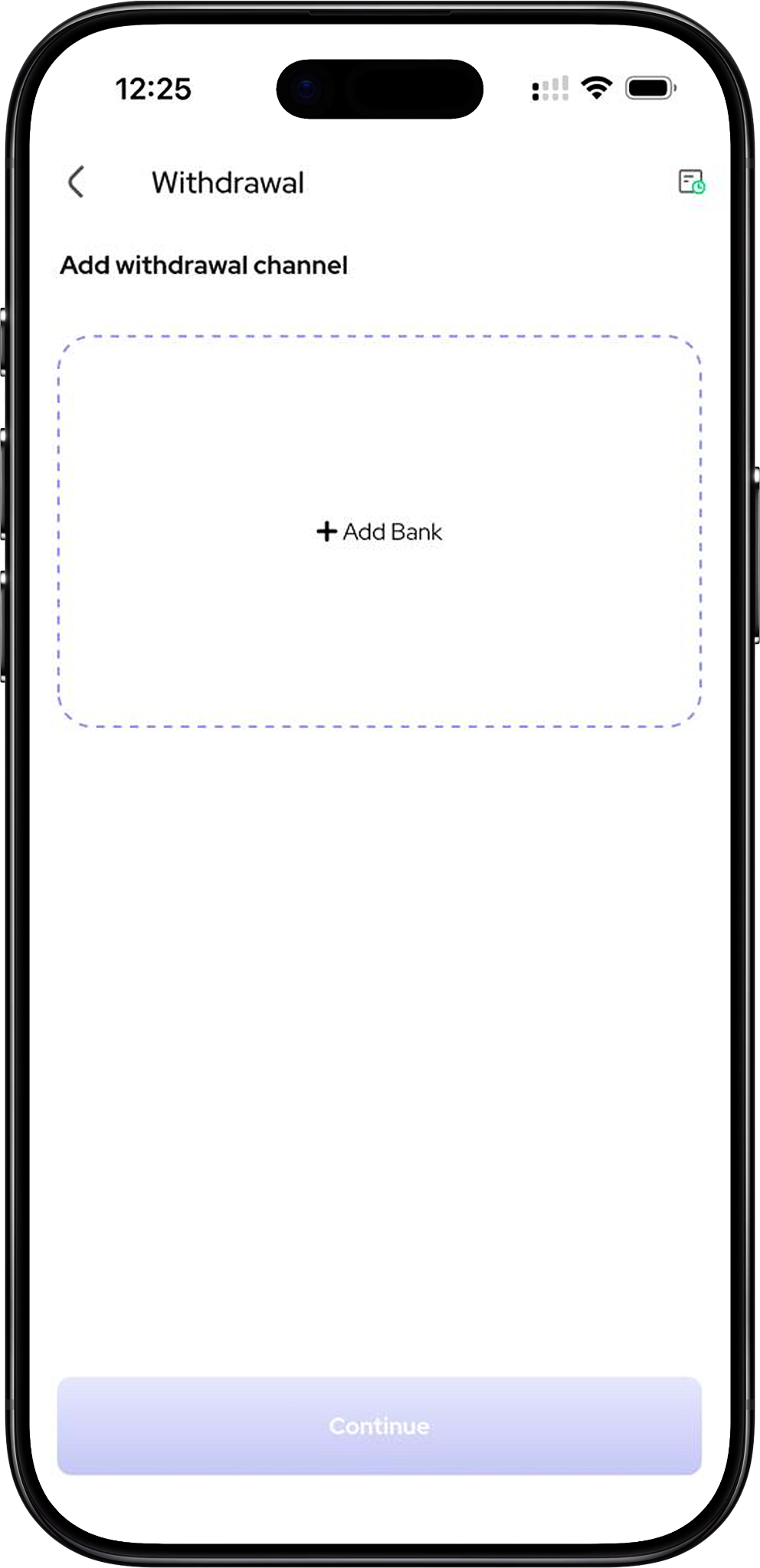
TKASH provides a withdrawal system that allows members to securely transfer available wallet balances to their registered banking channels. The platform includes account verification tools, withdrawal management features and clear transaction summaries to help users complete withdrawals efficiently.
Members can manage withdrawal accounts, review payout details and submit withdrawal requests directly from their account dashboard.
Withdrawal Channel Management
Register and Manage Withdrawal Accounts
Before submitting a withdrawal request, members can add and manage withdrawal channels by registering their banking information. The platform supports primary account selection to simplify future withdrawal requests.
Withdrawal channels help ensure that funds are transferred to the correct banking destination associated with the account holder.
Supported Banking Options
Choose from Available Banking Institutions
The withdrawal setup interface supports a variety of banking institutions. Examples displayed within the platform include UOB Bank, HSBC, Alliance Bank, OCBC, Standard Chartered Bank, Bank Islam, Affin Bank, Hong Leong Bank, Bank Rakyat, BSN Bank, AmBank, RHB Bank, Public Bank and CIMB Bank.
Available banking options may vary according to region, account eligibility and platform updates.
How to Add a Withdrawal Channel
Step 1: Open Withdrawal Channel Management
Click Add Withdrawal Channel (Anchor Link: #add-withdrawal-channel) to begin registering a bank account for future withdrawals.
Step 2: Select Your Bank
Click Select Bank (Anchor Link: #select-bank) and choose the appropriate banking institution from the available list.
Step 3: Enter Account Holder Information
Click Bank Account Details (Anchor Link: #bank-details) and enter the full name associated with the bank account together with the account number.
Step 4: Set a Primary Withdrawal Account
Click Set as Primary (Anchor Link: #primary-account) if you would like the selected bank account to be used as your default withdrawal destination.
Step 5: Save the Withdrawal Channel
Click Add Bank Card (Anchor Link: #save-withdrawal-channel) and confirm the details to complete the registration process.
For step-by-step assistance, visit Withdrawal Tutorial (Internal Link: /en/tutorial - Tutorial Section).
How to Submit a Withdrawal Request
Step 1: Choose a Registered Withdrawal Channel
Click Select Withdrawal Account (Anchor Link: #select-withdrawal-account) and choose one of your approved banking channels.
Step 2: Enter the Withdrawal Amount
Click Withdrawal Amount (Anchor Link: #withdrawal-amount) and enter the amount you wish to transfer from your wallet balance.
Step 3: Review Transaction Information
Click Review Withdrawal Summary (Anchor Link: #review-withdrawal) and verify the withdrawal amount, withdrawal fee and net payable amount displayed on the screen.
Step 4: Submit the Withdrawal Request
Click Withdraw (Anchor Link: #submit-withdrawal) and follow the displayed instructions to complete the transaction request.
Withdrawal Processing Information
Understanding Processing Time and Fees
The withdrawal interface provides visibility into withdrawal fees and estimated payout amounts. Members can review the net payable amount before submitting a request.
Based on the platform information shown, withdrawal requests may typically require approximately 5 to 15 minutes to process, although actual processing times may vary depending on transaction volume, verification requirements and banking operations.
Review Your Wallet Balance Before Withdrawal
TKASH displays the available wallet balance before a withdrawal request is submitted, helping members manage their funds more effectively and reduce submission errors.
Helpful Resources
Explore Additional Account Features
Learn more through Home (Internal Link: /en - Home Page), Top Up (Internal Link: /en/top-up - Funding Page), Remittance (Internal Link: /en/remittance - Remittance Page), Tutorial (Internal Link: /en/tutorial - Tutorial Hub), Introduction (Internal Link: /en/tutorial/introduction - Tutorial Page), Top Up Tutorial (Internal Link: /en/tutorial/top-up-tutorial - Tutorial Page), Remittance Tutorial (Internal Link: /en/tutorial/remittance-tutorial - Tutorial Page), Referral Tutorial (Internal Link: /en/tutorial/referral-tutorial - Tutorial Page), VIP Tutorial (Internal Link: /en/tutorial/vip-tutorial - Tutorial Page), Rank (VIP) (Internal Link: /en/rank - VIP Page), Agent (Internal Link: /en/agent - Agent Page) and Terms & Conditions (Internal Link: /en/terms-and-conditions - Information Page).
Official website: https://tkashofficial.com
Frequently Asked Questions
Do I Need to Add a Bank Account Before Withdrawing?
Yes. Members should register at least one withdrawal channel before submitting a withdrawal request.
Can I Set a Primary Withdrawal Account?
Yes. The withdrawal setup interface includes an option that allows members to designate a preferred withdrawal account as their primary channel.
How Can I Check My Withdrawal Details?
The withdrawal summary screen displays wallet balance, withdrawal amount, withdrawal fee and net payable amount before the request is submitted.
Manage Your Withdrawals with Greater Convenience
Add a withdrawal channel, review your payout details and learn how to submit secure withdrawal requests through the available TKASH account tools and tutorials.