
TKASH Provides a Simple Remittance Tutorial for Convenient Money Transfers
Table Of Content
- Introduction to Remittance Services
- Requirements Before Sending Money
- Step 1 Enter the Transfer Amount
- Step 2 Select Transaction Processing Duration
- Step 3 Enter Recipient Details
- Review and Submit the Transfer
- Remittance Tips and Best Practices
- Related Tutorials and Resources
- Frequently Asked Questions
Introduction to Remittance Services
Understanding the Remittance Function
TKASH offers a convenient remittance feature that allows members to send money efficiently. Users can enter the sending amount, review exchange rates, select processing preferences and provide recipient details before submitting a transfer request.
Requirements Before Sending Money
Prepare Your Account Before Making a Transfer
Before using the remittance function, members should complete Register (Internal Link: /en/register), access Login (Internal Link: /en/login) and ensure sufficient wallet balance is available. Users may also review Introduction Tutorial (Internal Link: /en/tutorial/introduction) for a broader understanding of platform features.
Step 1 Enter the Transfer Amount
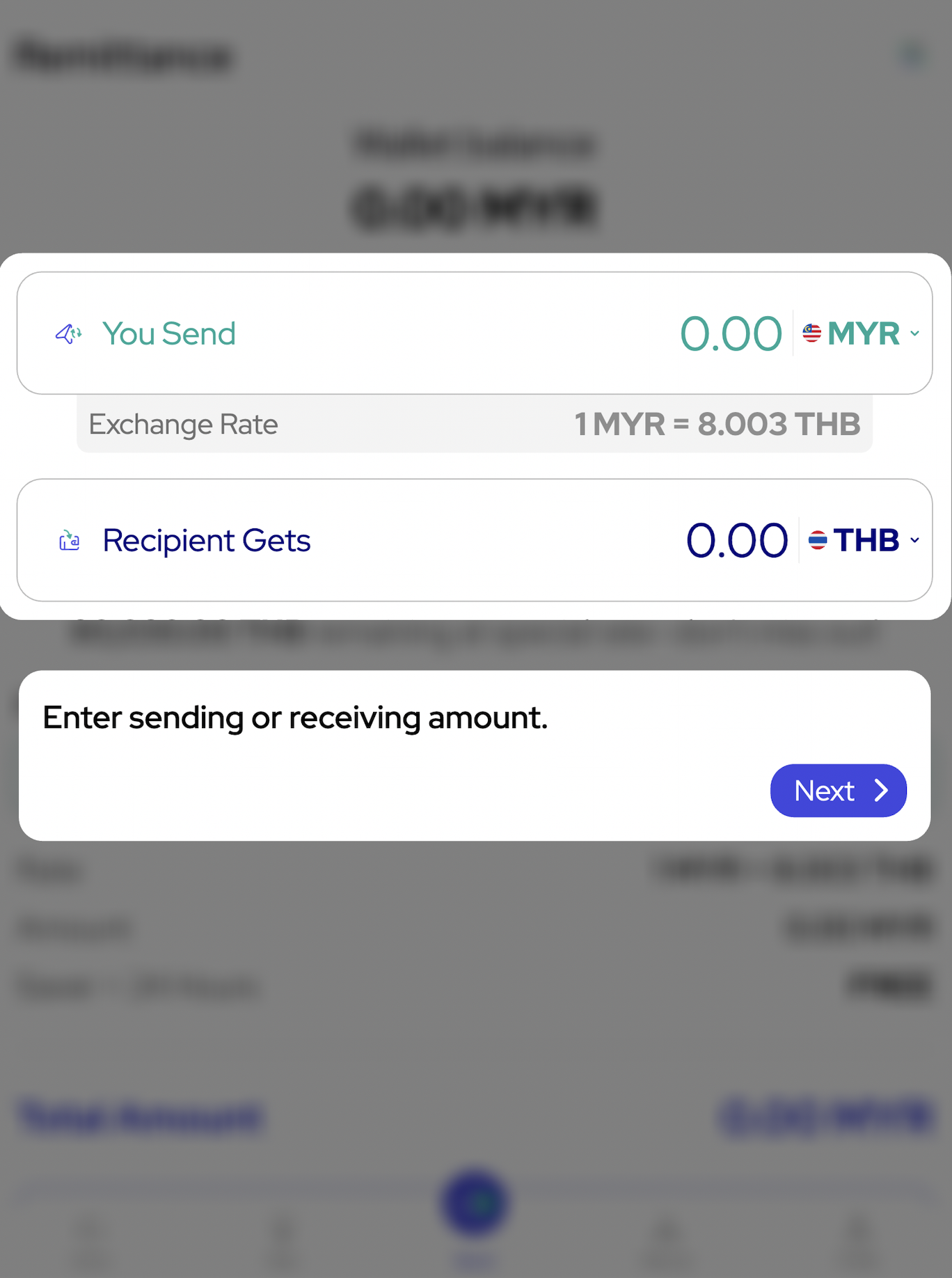
Specify the Sending or Receiving Amount
Begin by entering the amount you wish to send or the amount the recipient should receive. The system may automatically calculate values based on the displayed exchange rate.
Go to Amount Entry (Anchor Link: #step-1-enter-transfer-amount) and fill in the transfer amount according to your intended transaction.
Step 2 Select Transaction Processing Duration
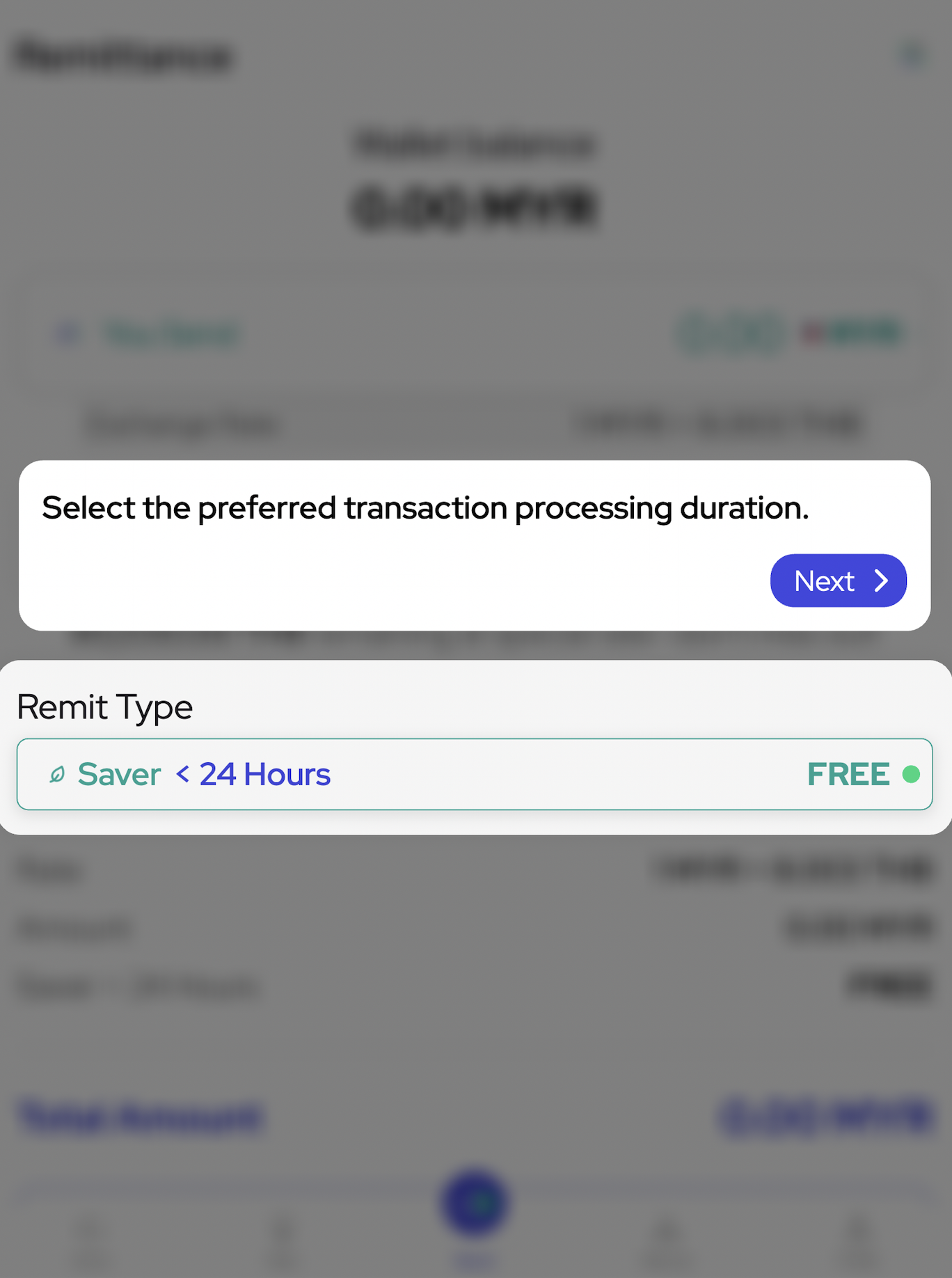
Choose Your Preferred Remittance Type
Select the preferred transaction processing duration. The example shown includes a Saver option with a processing period of less than 24 hours. Available processing times may vary depending on the selected transfer service.
Choose Remit Type (Anchor Link: #step-2-select-remit-type) and review the estimated processing duration before proceeding.
Step 3 Enter Recipient Details
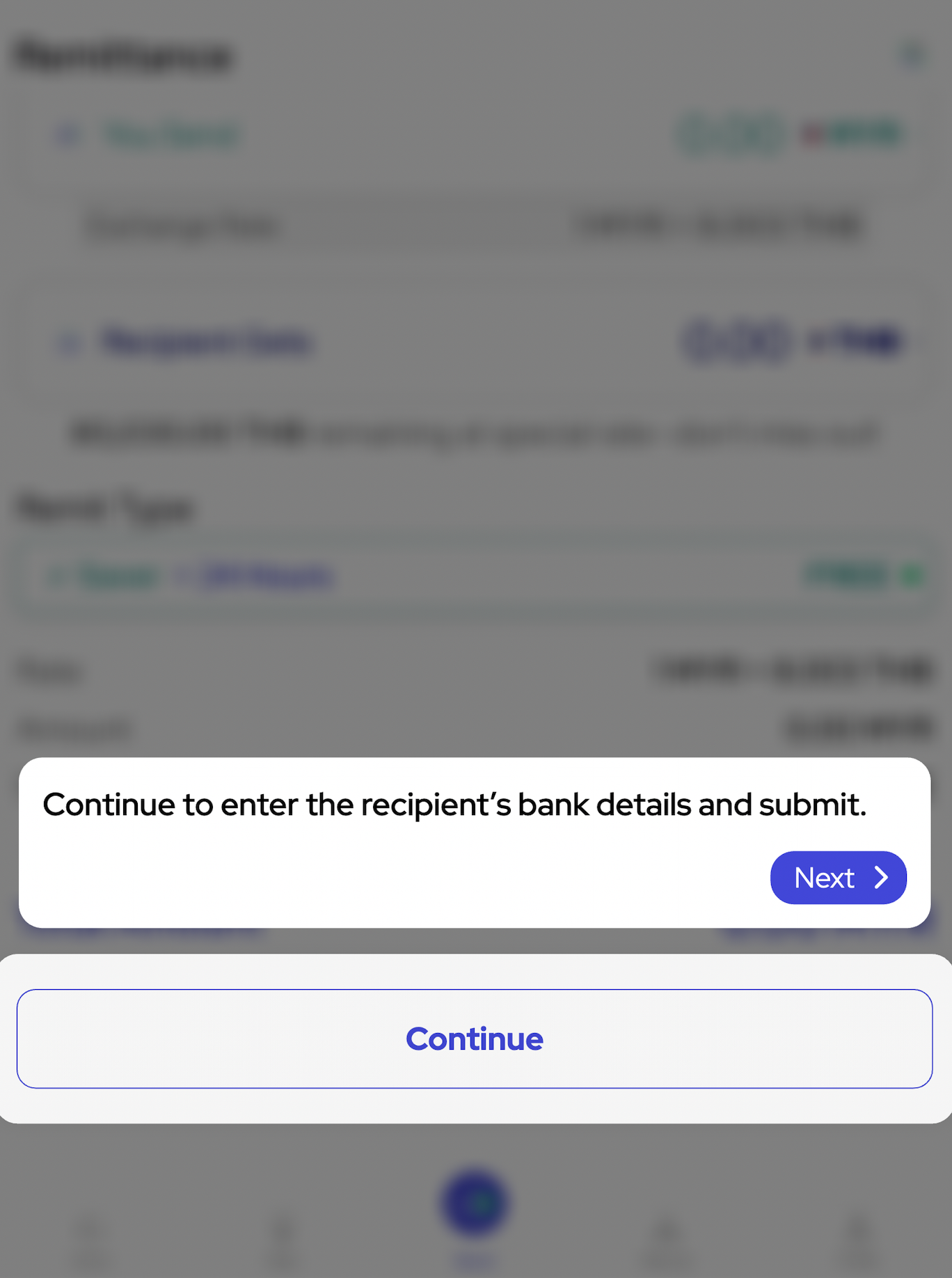
Provide Recipient Information Carefully
Continue by entering the recipient's banking or transfer details. Ensure all information is accurate to help avoid delays or unsuccessful transactions.
Enter Recipient Information (Anchor Link: #step-3-enter-recipient-details) and verify the details before moving to the final submission stage.
Review and Submit the Transfer
Complete the Remittance Request
After reviewing the amount, exchange rate, processing duration and recipient information, submit the transfer request. Always double-check all transaction details before confirming.
Submit Your Transfer Request (Anchor Link: #step-4-submit-transfer) once all information has been verified.
Remittance Tips and Best Practices
Ensure Accurate Transaction Information
Verify recipient information carefully, confirm exchange rates when applicable and ensure sufficient balance is available before submitting a transfer request.
Review Processing Times
Different remittance options may have different processing durations. Members should select the option that best suits their transfer requirements.
Related Tutorials and Resources
Continue Learning Platform Features
Visit Top Up Tutorial (Internal Link: /en/tutorial/top-up-tutorial) to learn how to fund your account, Referral Tutorial (Internal Link: /en/tutorial/referral-tutorial) to understand referral sharing features and VIP Tutorial (Internal Link: /en/tutorial/vip-tutorial) to explore membership benefits.
Additional resources include Services (Games) (Internal Link: /en/services), Lottery (Internal Link: /en/lottery), Promotions (NEW TK8) (Internal Link: /en/promotion), Rank (VIP) (Internal Link: /en/rank), Agent (Internal Link: /en/agent) and Terms & Conditions (Internal Link: /en/terms-conditions).
Official website: https://tkashofficial.com
Frequently Asked Questions
Can I Send Money in Different Currencies?
Depending on available remittance options, users may be able to send and receive funds in supported currencies while viewing applicable exchange rates.
How Long Does a Remittance Take?
Processing duration depends on the selected remittance type and transaction requirements. Users should review the estimated timeframe before submitting a transfer.
What Should I Do If I Enter Incorrect Recipient Information?
Review all details carefully before submitting. If assistance is required, members may contact support through the available customer service channels.
Start Sending Money with Confidence
Follow the remittance tutorial to understand transfer amounts, processing options and recipient details so you can complete transactions more efficiently on the TKASH platform.